lamy
lamy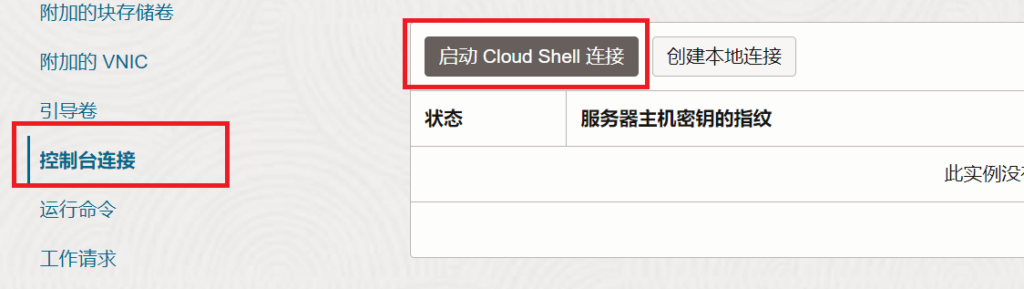
等待 shell 终端加载完成后重新引导系统,并在 shell 空白后按键盘上的 Esc 键进入 BIOS
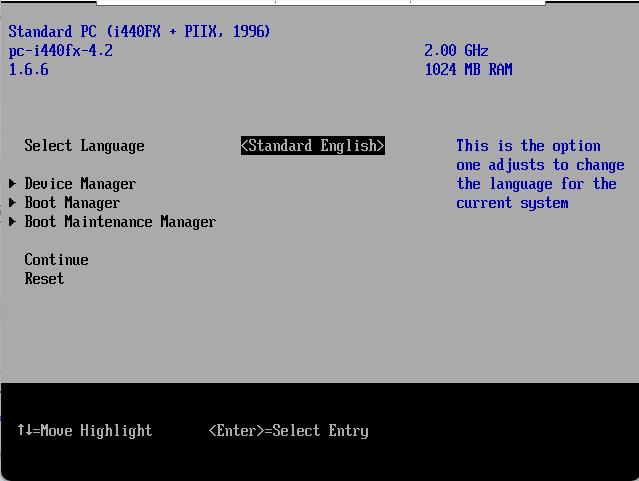
依次选择 Boot Manager —-> EFI Internal Shell 进入到 fs0
输入命令
FS0:
ifconfig -s eth0 dhcp
AMD机器使用
美国凤凰城: tftp 144.24.3.72 amd.efi
美国阿什本:tftp 150.136.226.17 amd.efi
澳大利亚悉尼:tftp 159.13.46.80 amd.efi
新加坡tftp 213.35.110.126 amd.efi
德国法兰克福:tftp 130.61.96.78 amd.efi
日本东京:tftp 140.245.95.121 amd.efi
韩国首尔::tftp 131.186.18.19 amd.efi
ARM机器使用
美国凤凰城: tftp 144.24.63.3 arm.efi
澳大利亚悉尼:tftp 158.180.4.86 arm.efi
新加坡:tftp 140.245.49.40 arm.efi
德国法兰克福:tftp 130.61.96.78 arm.efi
日本东京:tftp arm.efi
韩国首尔:tftp 131.186.18.19 arm.efi
美国圣何塞:tftp 150.230.47.75 arm.efi
exit

回到bois主画面
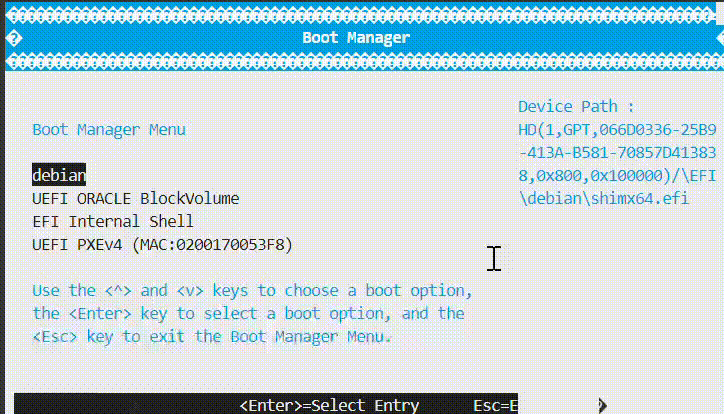
找到amd.efi进入netboot
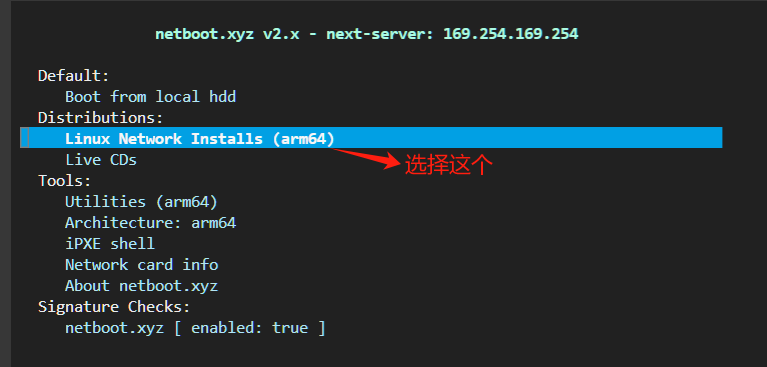

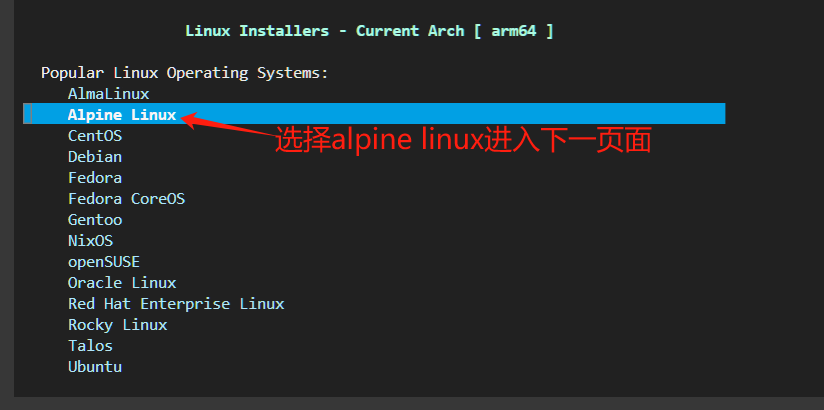
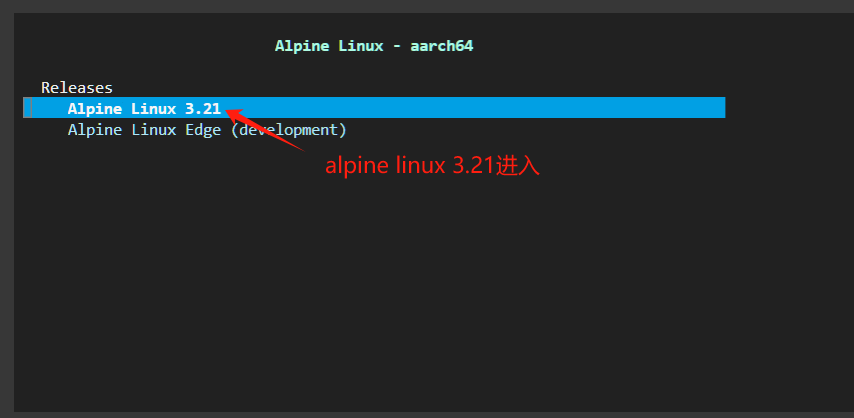
root

setup-alpine


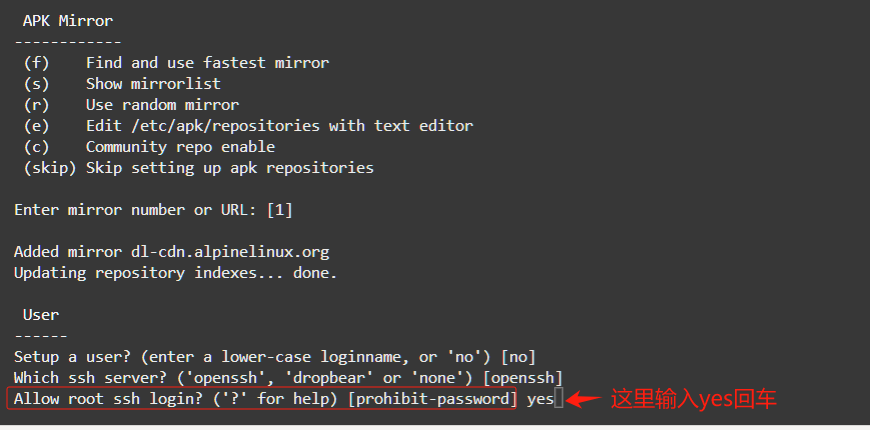
yes
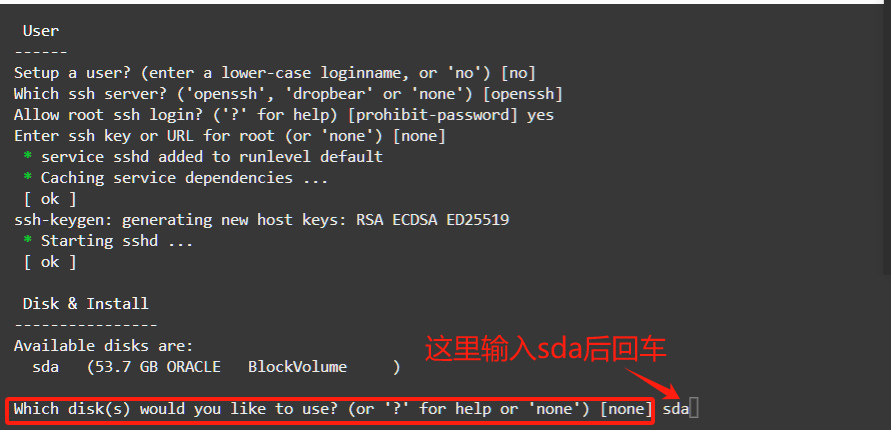
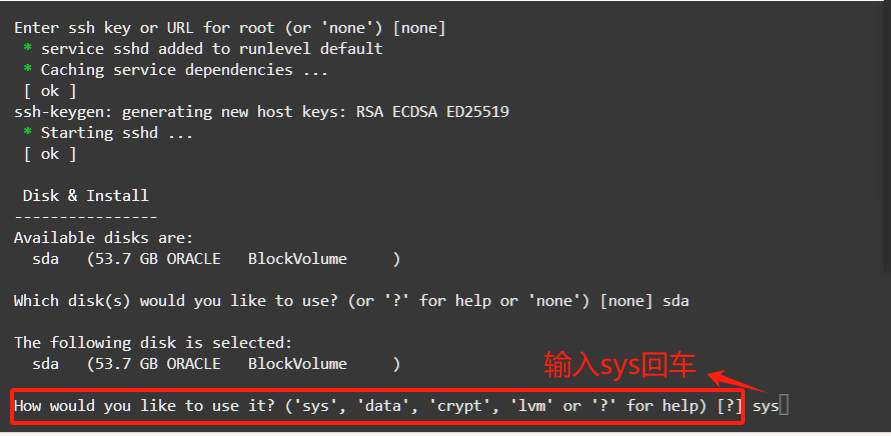
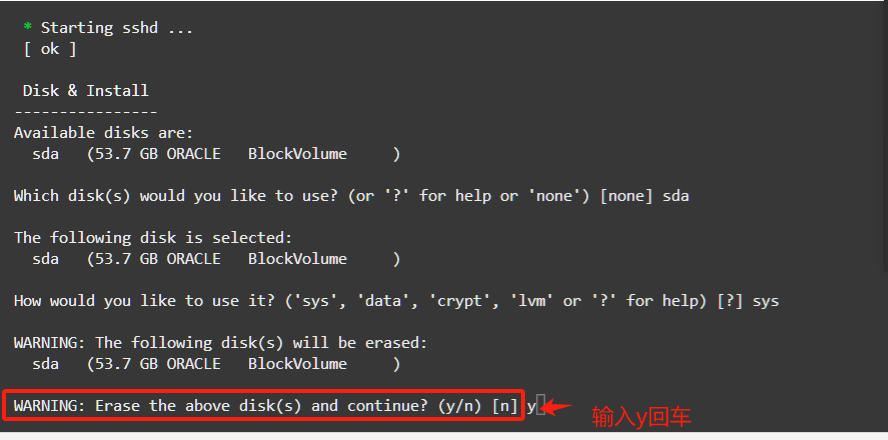

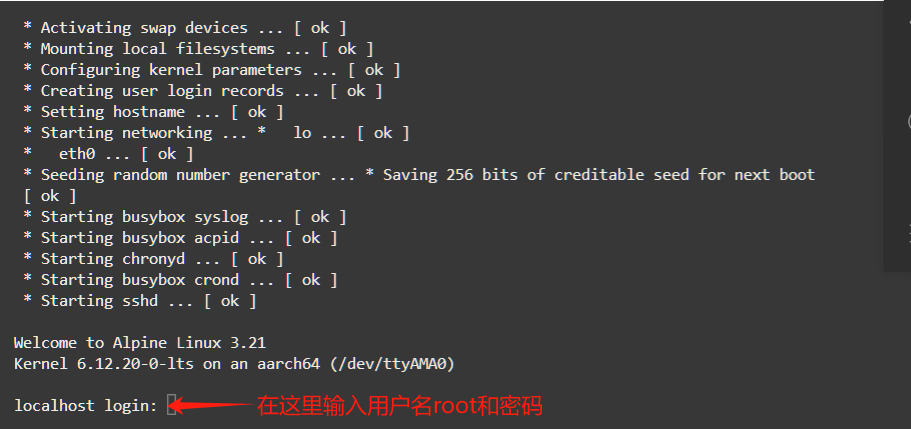
DD命令:
apk update
apk add bash wget
sed -i ‘s/root:\/bin\/ash/root:\/bin\/bash/g’ /etc/passwd
wget –no-check-certificate -qO InstallNET.sh ‘https://raw.githubusercontent.com/leitbogioro/Tools/master/Linux_reinstall/InstallNET.sh’ && chmod a+x InstallNET.sh && bash InstallNET.sh -debian 12 -pwd ‘aa123456’
bash <(wget –no-check-certificate -qO- ‘https://moeclub.org/attachment/LinuxShell/InstallNET.sh’) -u 20.04 -v 64 -a -firmware -p Liao0923..